네트워크/네트워크 자동화
[3]Ansible의 구성파일
Lauren X Ming
2021. 2. 1. 01:01
환경 설정 파일 : vi /etc/ansible/ansible.cfg
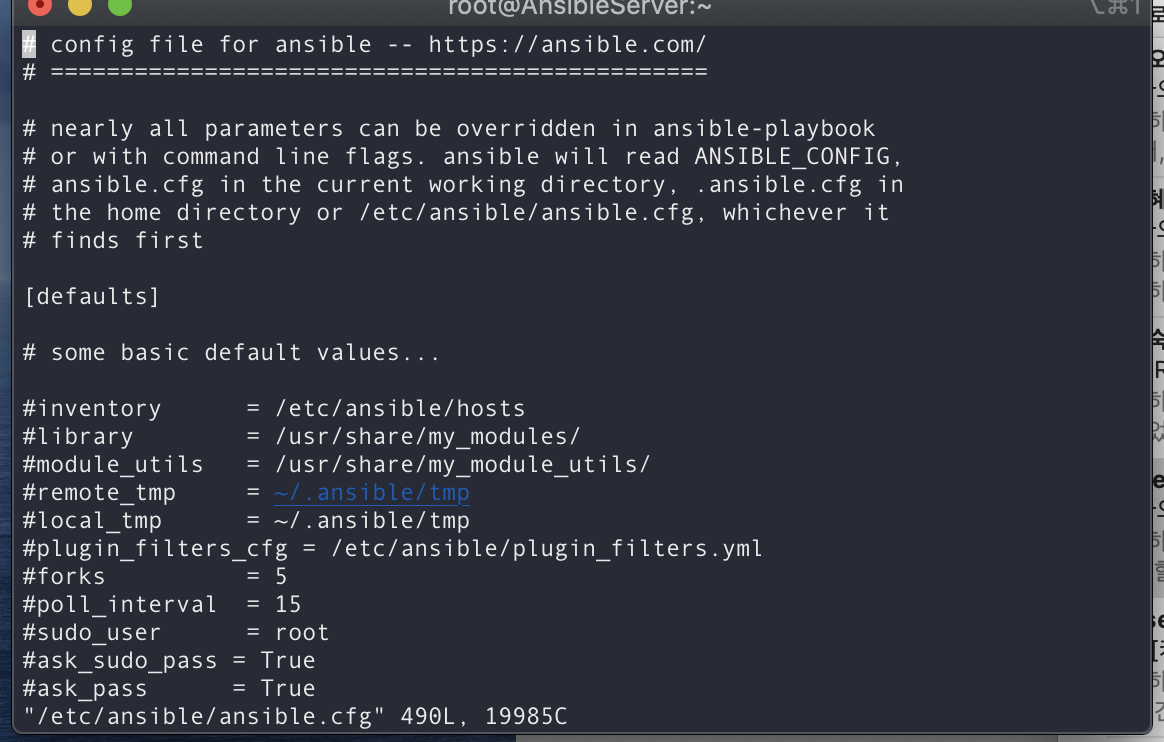
호스트들의 정보를 담고있는 저장소
vi /etc/ansible/hosts

[nginx]를 붙이는 이유는 저 서버들의 nginx 라는 일정 부분만 컨트럴 하겠다는 의미임
Ansible 옵션값
-i : 적용될 호스트들에 대한 파일
-m : 모듈을 선택할 수 있도록
-k : password를 물어보도록 설정
-K : 관리자 권한으로 상승
--list-hosts : 적용되는 호스트들의 리스트 확인
옵션 사용하는 예제
[root@AnsibleServer ~]# vi test
(아래내용 복붙 후 저장)
192.168.35.11
192.168.35.12
[root@AnsibleServer ~]# ansible all -i test -m ping -k
SSH password:
192.168.35.12 | SUCCESS => {
"ansible_facts": {
"discovered_interpreter_python": "/usr/bin/python"
},
"changed": false,
"ping": "pong"
}
192.168.35.11 | SUCCESS => {
"ansible_facts": {
"discovered_interpreter_python": "/usr/bin/python"
},
"changed": false,
"ping": "pong"
}
==> 두개만 ping이 가는 것을 확인할 수 있음.
아까 정해둔 [nginx]라는 관리 영역 아래에 있는 노드들에게만 ping
[root@AnsibleServer ~]# ansible nginx -m ping -k
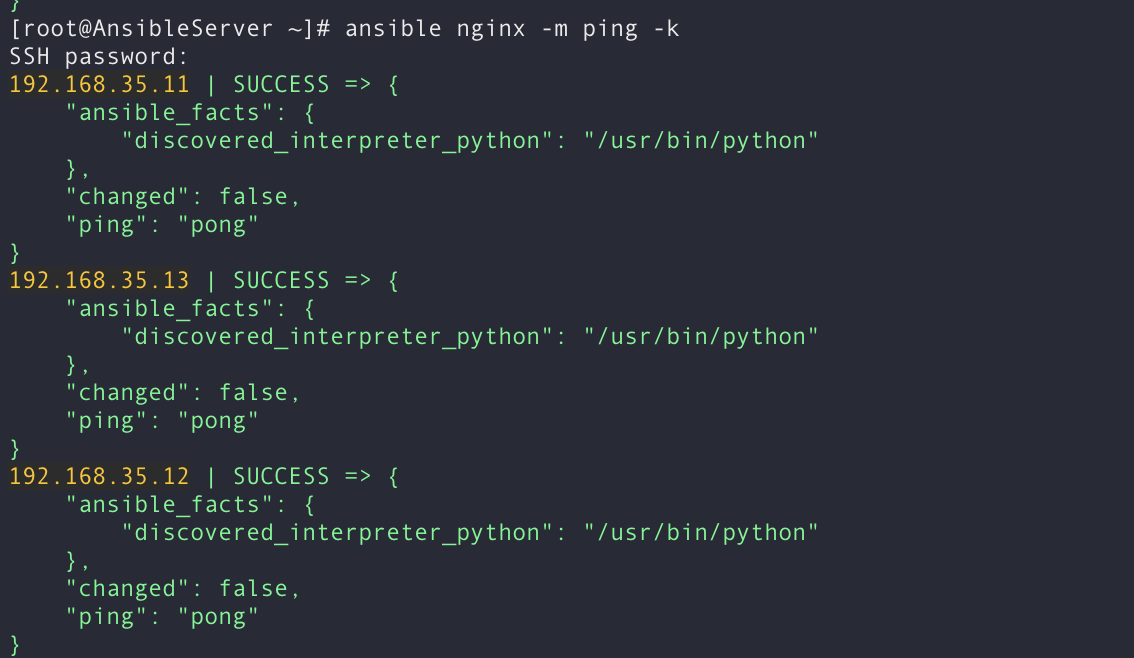
우리가 어떤 모듈 혹은 명령어를 실행하기 전에 영향 받는 노드들을 확인하고 싶을 때
[root@AnsibleServer ~]# ansible nginx -m ping --list-hosts
hosts (3):
192.168.35.11
192.168.35.12
192.168.35.13